

3 Simple Steps to Sign Up as a Student on Tuition Near Me
Signing up as a student at Tuition Near Me is very easy. Even so, we will still try to guide you along the registration process in this simple tutorial.
Step 1) First, you will have to visit TuitionNearMe.org. This action will lead to the main page of Tuition Near Me, as shown below.

Step 2) Next, look up to the top right hand corner of Tuition Near Me’s main page and you will notice an option “Student Registration” (circled in red below). Press on it.

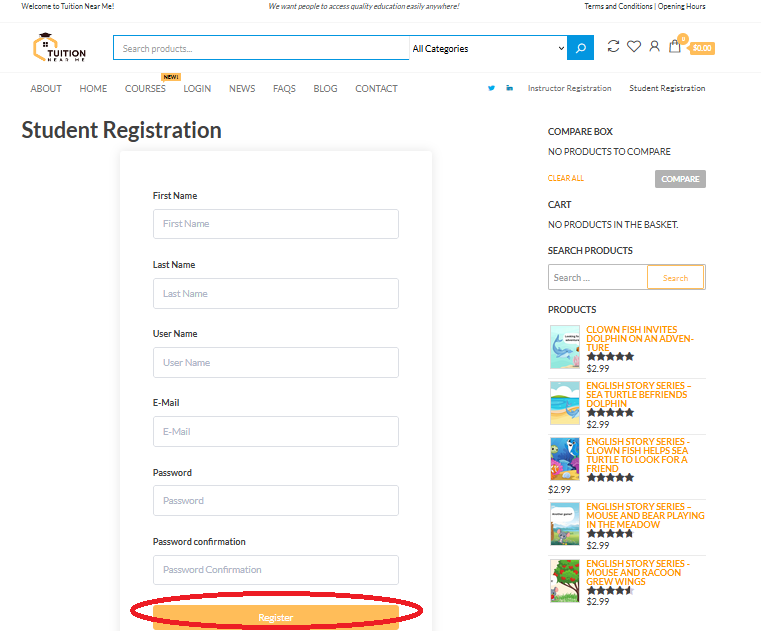
Step 3) This will lead you to the student registration page where you will have to complete a simple registration form and press the “Register” button located at the bottom of the page (circled in red below).
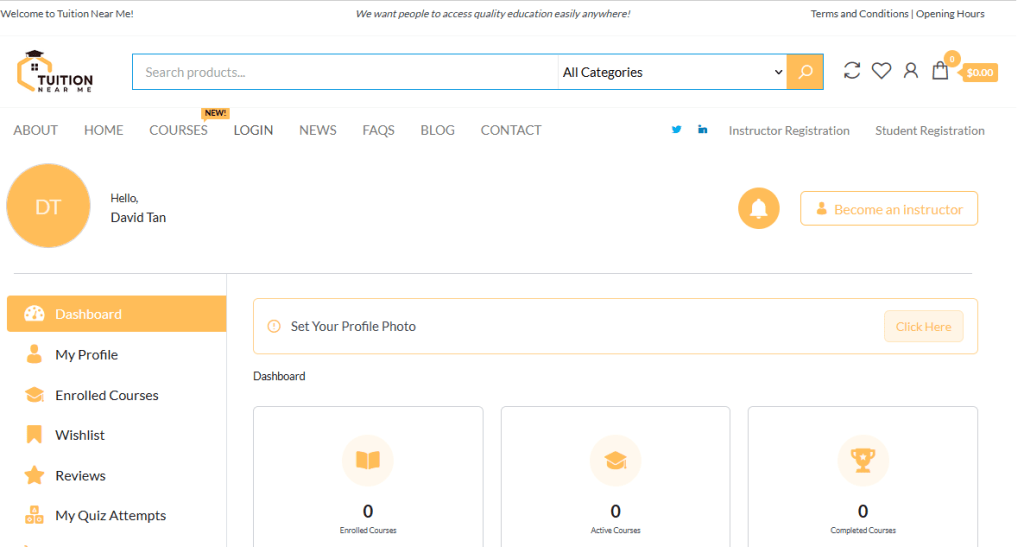
Once you have submitted the registration form and everything is in order, you will be led to your dashboard where you can view and access education courses that you have bought.
Signing up at Tuition Near Me is that easy! Enjoy!