

How to Check The Value of Your Tuition Near Me Gift Cards
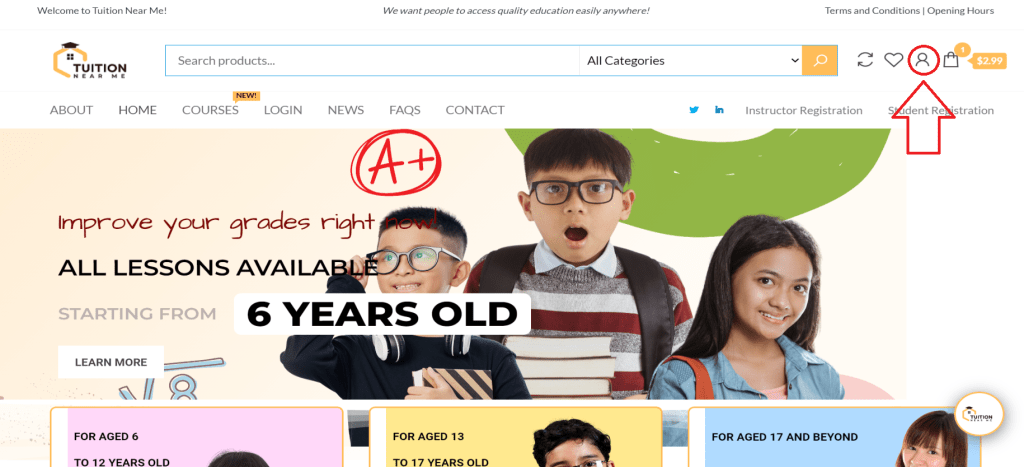
1st) Click on the account setting located in the top right hand corner of the Tuition Near Me’s main website.
2nd) Key in your username and password.

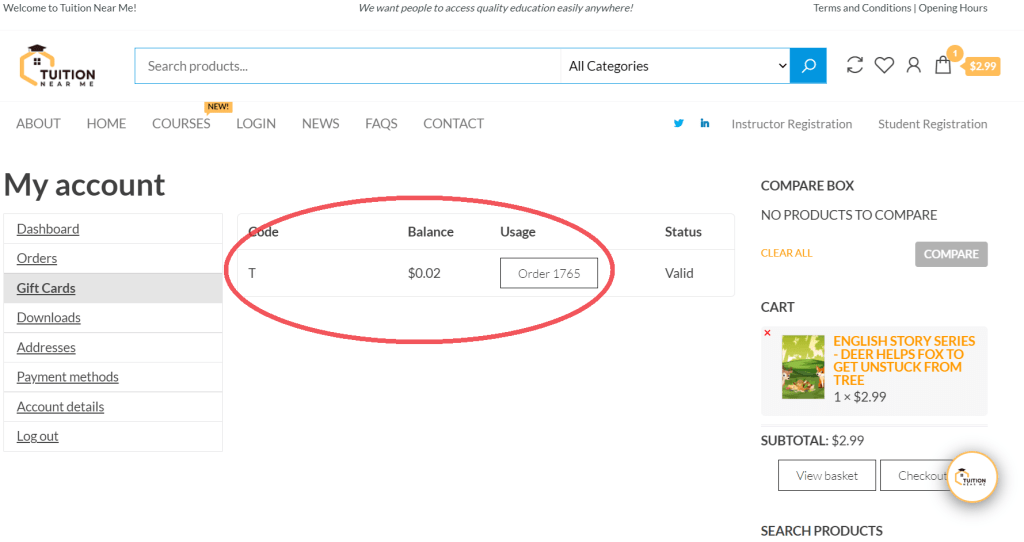
3rd) Click on “Gift Cards” located at the left hand side of the Tuition Near Me website.

4th) Check the balance of your Tuition Near Me gift cards.
5th) Remember to log out of your Tuition Near Me account when you are no longer using the computer.